
Samsung Wallet
Introducing Samsung Wallet
Love convenience? Start enjoying all the benefits of your American Express Card now with Samsung Wallet.
It's simply your safe, fast, and easy way to shop. We will explain how to connect and use your Samsung Wallet and Amex Card.
High value purchases
With Samsung Wallet, you won’t be restricted by the same contactless Card limit.
Shop safely
Every purchase made using your American Express Card with Samsung Wallet comes with 4 layers of protection.
Life should be rewarding
You’ll be able to earn the same rewards every time you spend using American Express with Samsung Wallet.
How to set up Samsung Wallet
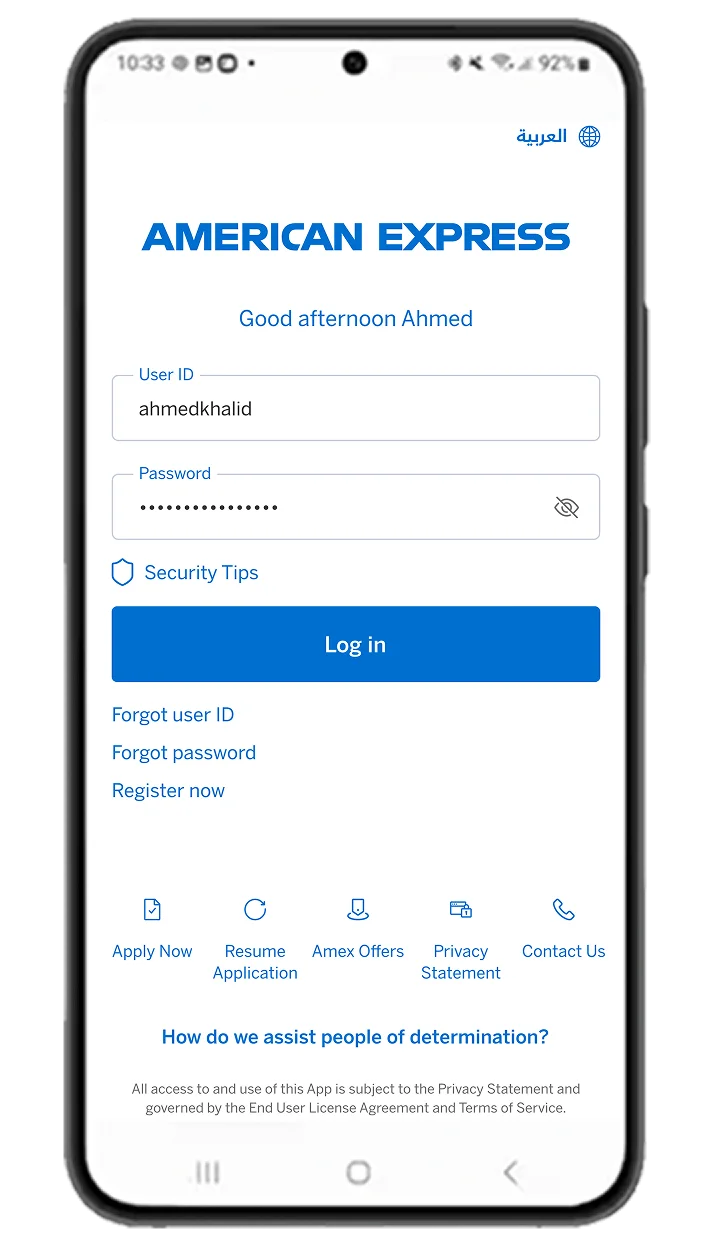
Login to your Amex MENA App.
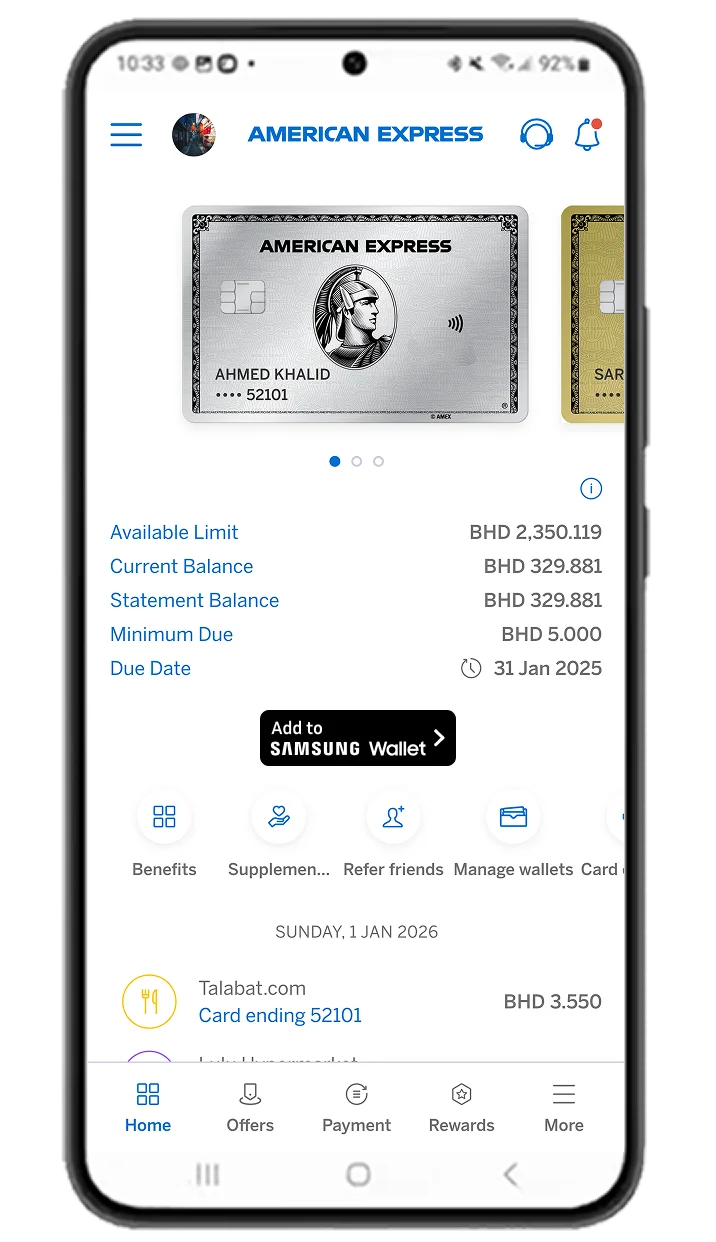
Tap on "Add to Samsung Wallet" under the Card you want to add.
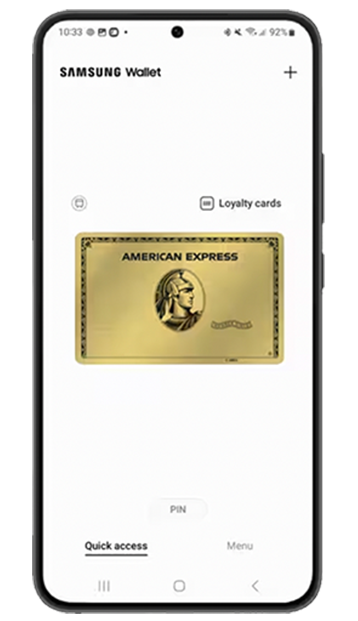
Follow the on-screen prompts to complete setup.
Supplementary Card Members have the option to add their Card directly through the Samsung Wallet app.
Cards can also be added to any compatible paired Samsung wearable device.
Pay easily with your Samsung device
Swipe up from the bottom of your screen to launch Samsung Wallet.
Authorise your transaction with your biometric identifiers (i.e. fingerprint, iris or face) or PIN.
Hover your device close to the NFC or MST terminal where you'd usually tap your Card.
Frequently Asked Questions
The Platinum Card®
The American Express® Platinum Credit Card
The American Express® Gold Card
The American Express® Gold Credit Card
The American Express® Card
The American Express® Credit Card
The Dubai Duty-Free American Express® Card
The American Express® Corporate Card
The Centurion® Card
The Platinum Card®
The American Express® Platinum Credit Card
The American Express® Gold Card
The American Express® Gold Credit Card
The American Express® Card
The American Express® Credit Card
The Dubai Duty-Free American Express® Card
The American Express® Corporate Card
The Centurion® Card
Swipe up from the bottom of your screen to launch Samsung Wallet.
Authorise your transaction with your biometric identifiers (i.e. fingerprint, iris or face) or PIN.
Hover your device close to the NFC or MST terminal where you'd usually tap your Card.
Swipe up from the bottom of your screen to launch Samsung Wallet.
Authorise your transaction with your biometric identifiers (i.e. fingerprint, iris or face) or PIN.
Hover your device close to the NFC or MST terminal where you'd usually tap your Card.
Samsung Wallet is accepted wherever you are currently making contactless payments using your American Express Card.
Samsung Wallet is accepted wherever you are currently making contactless payments using your American Express Card.
Samsung Wallet uses tokenization and authentication methods to help secure your information.
Samsung Wallet uses tokenization and authentication methods to help secure your information.
View even more Samsung Wallet Frequently Asked Questions here.